
Find the language—not the folder
Koxiv indexes what you authorize and lets the firm search inside contracts, filings, exhibits, and productions for phrases, party names, clauses, and references—without a scavenger hunt through filenames.
No registration required to download · Free trial for 15 days · No card required
Why does this become a legal priority?
In the office, the cost is not just organization — it is lost time, interruptions, and the risk of using a wrong document, send the wrong version or take a long time to respond. Koxiv reduces this bottleneck and makes flow more predictable.
Search for tax IDs (where they appear in your files), contract numbers, or any phrase inside the PDF or document — without relying solely on the file name.
If you work with volume, or want to grow, finding it quickly is no longer a detail: becomes part of your professional standard.

What usually slows down the office
- ✓Customer asks urgently and you spend minutes opening folder by folder
- ✓Documents with generic names like final_v2_agora_vai.pdf
- ✓Parts and attachments scattered across email, downloads, and multiple folders
- ✓Risk of working with an old version or attaching the wrong document
- ✓The team does not think the same way, each with their own method
What changes with Koxiv
- ✓Direct search in content, including clauses, terms, excerpts and references
- ✓Fewer interruptions: you respond faster and more safely
- ✓Standardization: anyone localizes the same way
- ✓More predictable operation: history organized by client and case
- ✓Productivity without relying on folder memory
Before vs. after
The value of Koxiv appears when you apply it to real office situations. Here are common scenarios that tend to consume time every day.
Search by folder, name and memory
You open several folders, test different names and still wonder if you got the right version. If someone saved it wrong, it becomes a treasure hunt.
Typical result: lost time, interruptions and risk.
Search as you think: by content
You type the term, clause, number, part, subject or reference and find it in seconds, even without remembering the file name or where it was saved.
Outcome: consistent speed, security, and predictable flow.
Test with a real case today
The free trial exists for you to validate with your own documents. If it becomes standard, you sign with conviction.
What Koxiv does and doesn't do
This section reduces doubts and ensures that you move forward knowing exactly what you are purchasing.
✅ What Koxiv does
- ✓Indexing the folders you choose
- ✓Ultra-fast search of document content
- ✓Find files by terms, snippets, patterns and references
- ✓Transform your collection into a consultation system
- ✓Standardize access to team information
❌ Koxiv is not
- ✓Does not replace your legal or procedural software
- ✓Not a petition generator
- ✓Does not depend on perfect organization to function
- ✓Doesn't require you to change your entire flow to get started
It enters as the layer of search and indexing that is missing when the volume grows and time begins to disappear.
Get started in about 10 minutes
To avoid depending on support, here is the direct path. You install it, select folders and test the search in a real case.
✅ Optimal test
Choose a case with volume: contracts, annexes and parts. Do 5 searches that you would do on the run.
If in 2 or 3 days you notice that it has become a pattern, a assinatura tende a se pagar sozinha.
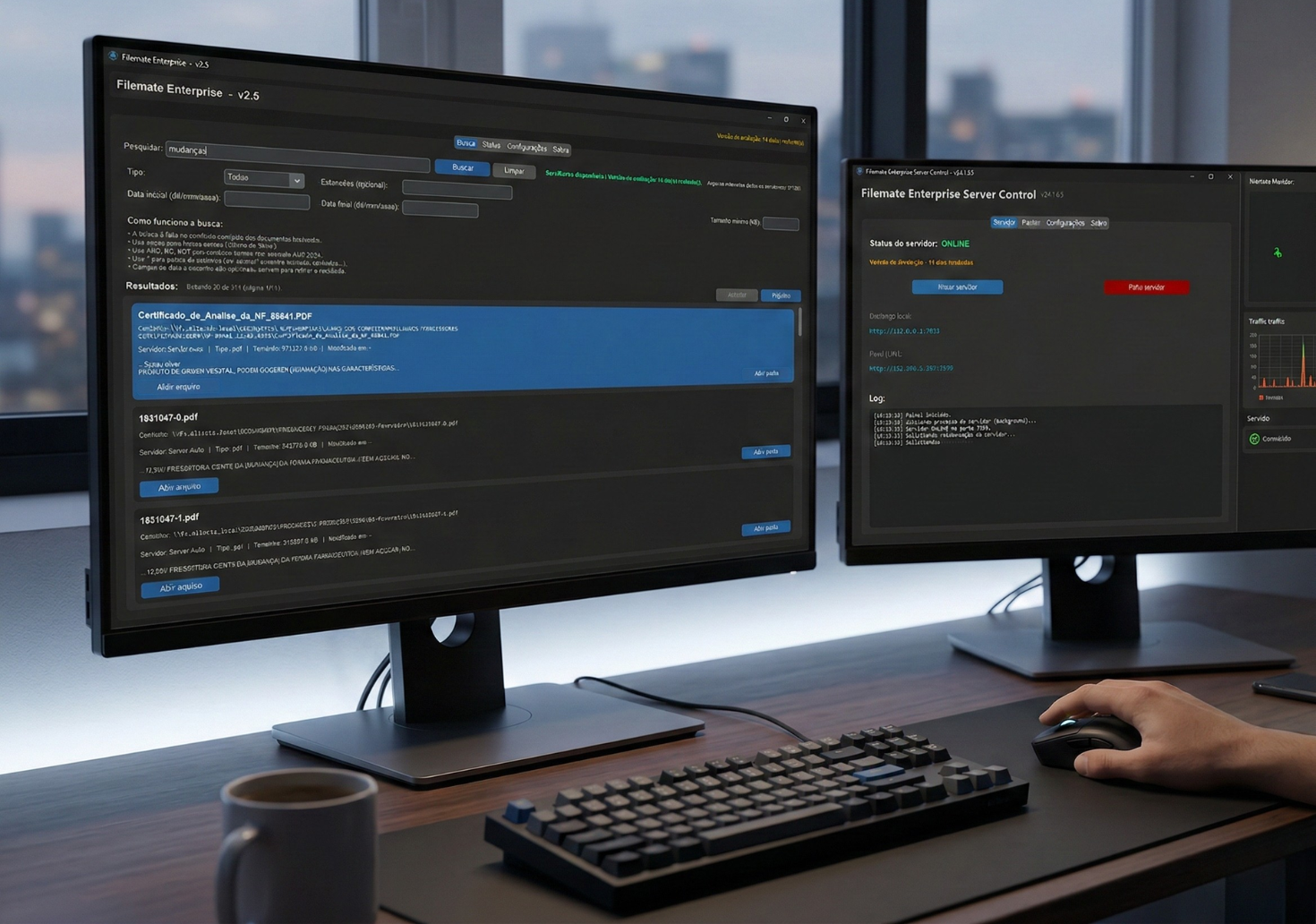
Objective of the test: it’s not just about looking pretty. It's realizing that, without Koxiv, you're wasting time again.
Decision checklist
If your routine has these signs, Koxiv usually solves a real problem.
📌 Volume and urgency
You deal with a lot of documents and often have urgent orders.
📌 Folders grew too large
Its structure works until the day it stops working.
📌 Team needs the same workflow
You want predictability: everyone encounters the same pattern.
📌 Risk of wrong version
It has happened, or could happen, that you attach the wrong or old document.
📌 Invisible time disappearing
You lose minutes several times a day and that turns into hours a week.
📌 Want to grow without chaos
You want to increase volume without increasing clutter.
Choose a plan with confidence
If your goal is to stop wasting time and reduce risk, you don't need to guess: activate the test, validate with your flow and select the right plan.
FAQ completo
Does Koxiv work if my folders are messy?
Yes. You start with what you already have. The value of Koxiv is precisely to reduce dependence on the perfect organization to find information.
Can I find it from the text inside the document?
Yes. You search for terms, excerpts and references that are in the content, not just the file name.
Do I need to change my legal software or flow?
No. Koxiv acts as a search and indexing layer for your folders and documents. It complements your routine.
How soon will I see value?
Usually within a few days of actual use. Perform 5 rush searches per day. If this becomes standard, you tend to notice the difference quickly.
Does the free trial have a catch?
No. It exists for you to validate in your scenario. If it doesn't make sense, you just don't sign it.
Which plan should I choose?
Choose by your volume and use. If you are in doubt, start with the test and, when you feel that it has become the standard, select the plan that covers your needs.
Can I use it alone without support?
Yes. This page already gives you the complete step-by-step guide: registration, installation, selecting folders and testing real searches.
If you've read this far and identified with the pain, the cost of not resolving it is usually greater than it seems: there are hours a week of leaving.