
Search specs, submittals, and project PDFs without losing your afternoon
Koxiv indexes the technical library you already maintain so PMs, designers, and field equipos open the right spec, submittal, memo, or calculation PDF by project, client, date, or any phrase inside the file—even when filenames are useless. Less rework, fewer wrong-version scares.
No hace falta registrarse para descargar · Prueba gratis 15 días · Sin tarjeta
Why does this become a priority in the project
In engineering and architecture, the problem is rarely doing. It is finding quickly what already exists: the right review, the right narrative, the item spec, the vendor attachment. With volume, carpetas become noise — and noise becomes rework and risk. Koxiv makes the collection searchable and predictable.
If today you waste time opening R0, R1 and R2 until you find the right one, you already have the bottleneck mapped out.
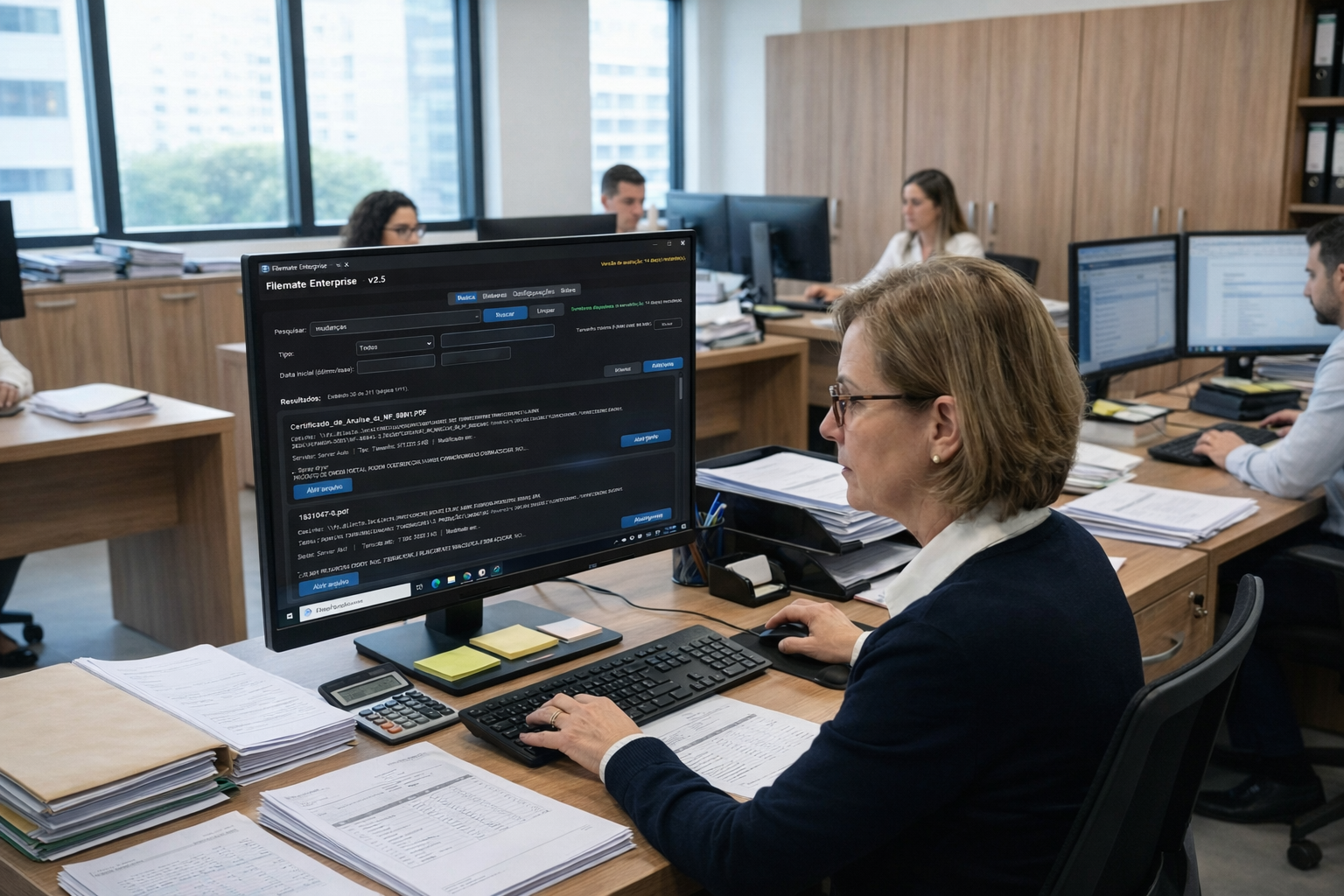
What usually slows the equipo down
- ✓Versions and revisions confuse, like R0, R1 and R2
- ✓Many PDFs, attachments, and references per project
- ✓Time wasted finding specifications or memorials
- ✓Rework due to not finding what has already been defined
- ✓Interruptions like “where’s the right document?”
What changes with Koxiv
- ✓Search for terms within project documents
- ✓Agility in reviewing, quickly finding the exact point
- ✓Standardization for the equipo, everyone finds the same
- ✓Less rework and less decision repetition
- ✓More predictability in work and documentation
Before vs. after
Koxiv does not replace CAD or BIM. It solves the invisible part: quickly finding project documents and evidence.
Open carpetas and hunt for review
You browse various carpetas, open files one by one, try to guess by name, and when you find it, you've already wasted time. As a equipo, this multiplies.
Typical result: delay, rework and risk of deciding based on the wrong version.
Search by project and technical term
Buscás Project X, narrative, piping, coating, NBR, ART, RRT, as-built, or an R2 revision and find the reference in seconds, with less doubt.
Outcome: faster review, aligned equipo, and predictable documentation.
Test with one real project today
Pick a project with multiple revisions and attachments. Run five searches you would actually use in a review.
What Koxiv does and doesn't do
To decide with complete clarity, here is the straightforward scope.
✅ What Koxiv does
- ✓Index project carpetas, memorials, specifications, reports and attachments
- ✓Quick search for terms within PDFs and documents
- ✓Find by project, client, date, review, and technical references
- ✓Standardize the consultation routine for the equipo
- ✓Reduce rework by quickly finding what has already been defined
❌ Koxiv is not
- ✓It is not CAD or BIM and does not replace Revit or AutoCAD
- ✓You don't organize your engineering alone; it speeds up the search in the collection
- ✓Doesn't require rearranging everything to get started
- ✓It doesn't depend on remembering where you saved it
Think of it as your layer of search and indexing of the project collection, and this changes the speed of review.
Empezá in about 10 minutes
Registration, installation, select carpetas and search for technical terms of the project.
✅ Optimal test
Choose a project with multiple revisions. Search for technical terms, dates and references that you use in review and compatibility.
If review time drops within a few days, you already know the difference it makes.
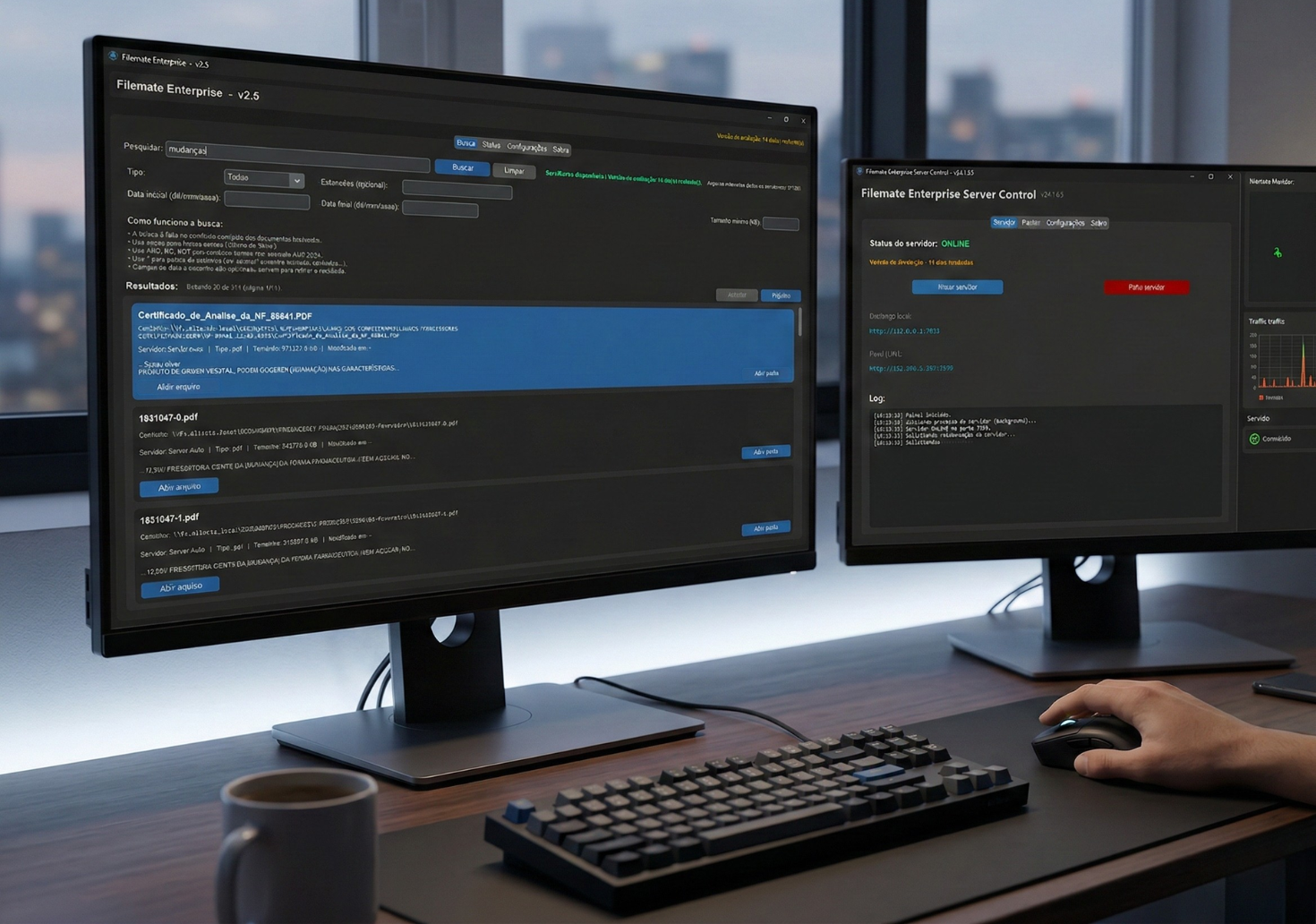
The test is for you to validate with your own projects.
Decision checklist
If these signals exist in your operation, Koxiv resolves the bottleneck.
📌 Lots of reviews
R0, R1 and R2 see confusion and invisible costs.
📌 Lots of PDF and attachment
Specifications and memorials are scattered around.
📌 Equipe interrompe
“Where is the right file?” happens all the time.
📌 Retrabalho
Decision repeated because the reference was not located.
📌 Risk of wrong version
A wrong file creates a costly error.
📌 Want predictability
You want quick review and documentation under control.
Choose a plan and stop wasting time on carpetas
The safest path: start the trial, validate it on one real project, then subscribe with confidence.
FAQ completo
Does it work with PDFs of projects, memorials and attachments?
Yes. You select the project carpetas and Koxiv indexes them. Then you search for terms and references and find them quickly.
Can I search by revision, project, and technical terms?
Yes. The focus is finding what you already use in practice: project, revision, technical terms, standards, and document references.
Do I need to rearrange everything to get started?
No. You start with your current structure. The immediate gain is to reduce the time lost searching.
Does this replace Revit, AutoCAD, or BIM?
No. Koxiv is the search and indexing layer for the document collection. It complements your project flow.
How soon will I see value?
Within a few days on a real project. If reviews speed up and the equipo stops hunting for files, you notice it immediately.
Does the prueba gratis have a catch?
No. It is for you to validate with your own projects. If it doesn't make sense, you don't sign it.
Can I use it on my own?
Yes. Registration, installation, carpeta selection and search. The page already guides you from beginning to end.
If today your equipo wastes time finding a review, memorial or specification, that's not a detail: It is an operational bottleneck. Koxiv resolves this point.