
Koxiv for Realtors
Find proposals, contracts, customer documents, and property files in seconds — even when you only remember one detail of the case.
No hace falta registrarse para descargar · Prueba gratis 15 días · Sin tarjeta
Why this becomes a priority in the real estate market
Brokers lose deals over delays. The customer wants a quick response: Do you have the registration number, what is the IPTU, do you have a plan, what documents do I need. Koxiv reduces search time and leaves your service instant and reliable.
When you respond quickly, you gain authority. And when you find everything quickly, you sell with more confidence.

What usually slows brokers down
- ✓Documentos scattered across chats, email, downloads, and carpetas
- ✓You remember the property, but you don't remember the file name
- ✓Proposals and contracts in various versions: which is the latest?
- ✓Customer asks right away and you need to look for registration number, IPTU, photos and plan
- ✓Team and partners don’t feel the same way
What changes with Koxiv
- ✓Direct search in content, including names, national or business tax IDs, address, clauses, and amounts
- ✓Immediate response to the customer, without “I’ll see and get back to you”
- ✓Standardization: anyone localizes the same way
- ✓History organized by client and property
- ✓Fewer errors: reduces the risk of sending the wrong document or old version
Before vs. after
In a broker's day-to-day life, the cost is losing timing. Here are common situations that consume time and opportunities.
File hunt across multiple sources
You open carpetas, conversations, emails, drives and test different names and you are still unsure whether you got the right document.
Typical result: delay, rework and loss of confidence.
Search by address, name or term
You enter Street X, Condominium Y, customer name, IPTU, registration or proposal and find it in seconds, even without remembering where you saved it.
Outcome: quick response, authority, and easier closing.
Test with a real property today
Use the prueba gratis with your own property, client and proposal documents. If it becomes standard, you sign with conviction.
What Koxiv does and doesn't do
So you can sign knowing exactly what you are purchasing.
✅ What Koxiv does
- ✓Indexación the carpetas you choose, such as customers, properties and contracts
- ✓Ultra-fast search of document content
- ✓Find files by terms, snippets, patterns and references
- ✓Transform your collection into a consultation system
- ✓Standardize access to information
❌ Koxiv is not
- ✓Not a real estate CRM
- ✓Does not replace portals, advertisements or capture tools
- ✓Does not depend on perfect organization to function
- ✓No need to change your way of saving files to get started
It enters as the layer of search and indexing which is missing when the volume of documents grows.
Empezá in about 10 minutes
You install it, select carpetas and test it with a real client and a real property.
✅ Optimal test
Choose 1 property and 1 client. Search as you would on the run: documents, terms and versions.
If in 2 or 3 days this becomes a pattern, a assinatura tende a se pagar sozinha.
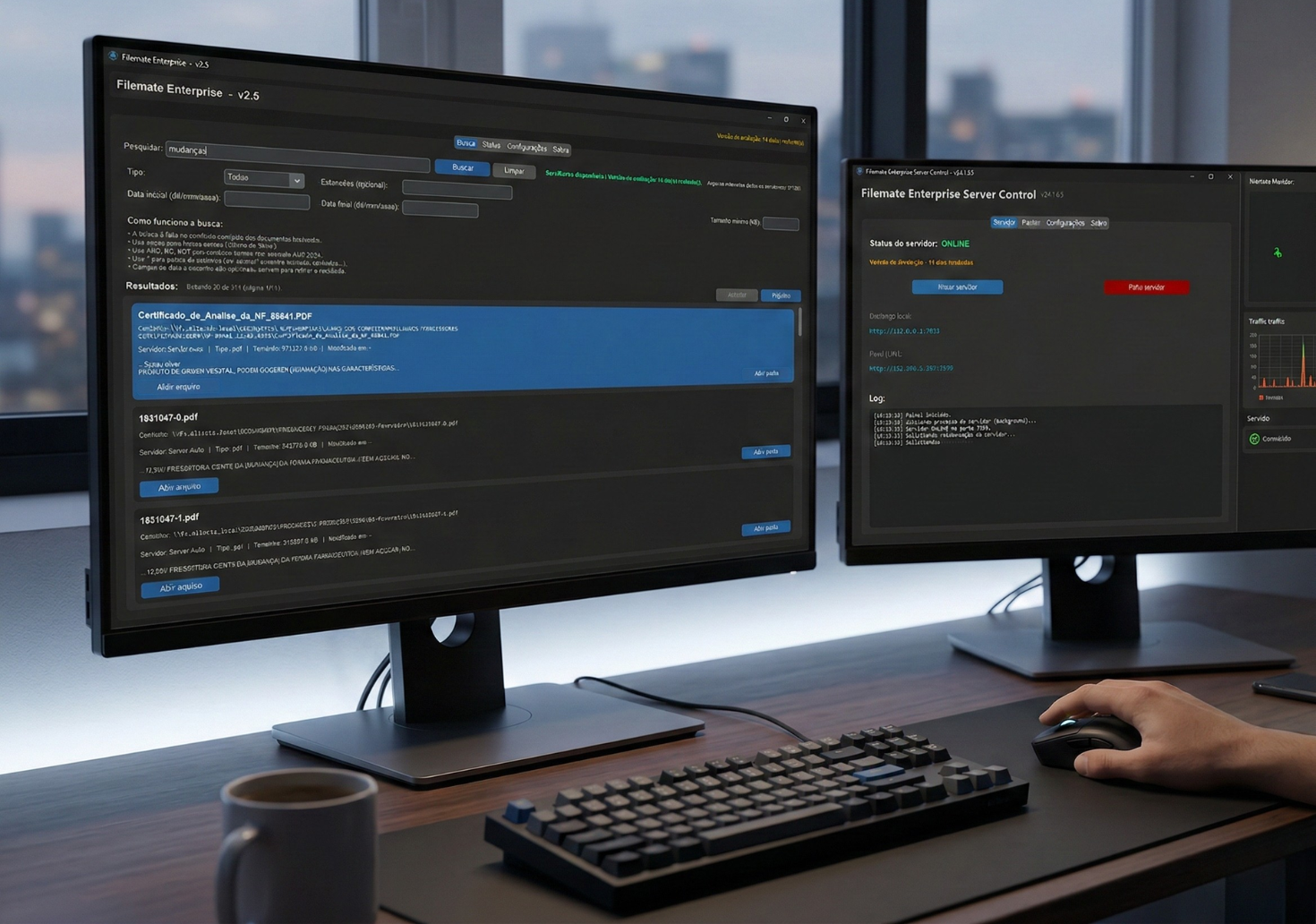
The objective of the test is for you to realize that, without Koxiv, you will lose time and timing again.
Decision checklist
If your routine has these signs, Koxiv usually solves a real problem.
📌 Muita correria
You respond quickly and need information right away.
📌 Scattered documents
Conversations, emails, downloads and several carpetas became an archive.
📌 Proposals in versions
There has already been confusion about what the most recent proposal or contract is.
📌 Reply with confidence
You want to avoid sending the wrong document to the client or owner.
📌 Invisible time disappearing
Minutes lost several times a day turn into hours a week.
📌 Want to grow without chaos
You want to increase volume without increasing clutter.
Choose a plan with confidence
You don't have to guess: activate the test, validate with your documents and select the right plan.
FAQ completo
Does it work if my documents are scattered and messy?
Yes. You can start with the current structure. Koxiv reduces dependence on perfect organization to find information.
Can I search by address, customer name and terms such as IPTU and registration?
Yes. Koxiv searches for terms, excerpts and references that are in the content of documents, and not just the file name.
Does this replace a real estate CRM?
No. Koxiv is the search and indexing layer for your documents. It complements your CRM and your routine.
How soon will I see value?
Usually within a few days of actual use. Search for property and client documents on a daily basis and the difference appears quickly.
Does the prueba gratis have a catch?
No. It exists for you to validate in your scenario. If it doesn't make sense, you just don't sign it.
Which plan should I choose?
Choose by your use and volume. If you are in doubt, start with the test and, when you feel it has become the standard, select the appropriate plan.
Can I use it alone without support?
Yes. This page already takes you step by step: registration, installation, selecting carpetas and testing real searches.
If you identified with the pain, the cost of not resolving it is usually greater than it seems, because opportunities cool down quickly.