
Search invoices and workpapers like a database—without building one
Koxiv indexes the carpetas you choose so the equipo finds guides, notes, statements, and client packets by tax ID, period, line items, or any phrase inside the PDF/spreadsheet—not by whoever named the file last. Less rework, calmer closes.
No hace falta registrarse para descargar · Prueba gratis 15 días · Sin tarjeta
Why this becomes a priority in the accounting office
In accounting, the invisible cost is searching, asking again, and interrupting the flow. In closing, minutes turn into hours. Koxiv reduces this bottleneck: your documents become a searchable collection, with a pattern that the equipo can repeat.
If today someone on the equipo needs to remember where it is, you don't have a standard — you're lucky. Koxiv turns this into a process.

What usually slows down the office
- ✓Closing becomes a hunt for a guide, note and receipt
- ✓Documentos per client with different names and different patterns
- ✓Rework asking for the same document again
- ✓Interruptions like “where is the withholding voucher / GST slip / invoice PDF?”
- ✓Team without a single standard for finding information
What changes with Koxiv
- ✓Search by client, company tax ID, period, tax line, and document terms
- ✓Less rework, because the document appears in seconds
- ✓Team gains pace, everyone feels the same way
- ✓More deliveries with less stress at closing
- ✓Less reliance on a single person's memory
Before vs. after
Koxiv does not replace your accounting system. It solves what the system doesn't cover: finding documents quickly.
Stop to look and order again
You open carpetas, try to remember name patterns, search for competence, does not find it and asks the customer again, delaying the flow and accumulating pending issues.
Typical result: rework, delays, and stress at close.
Search by client, competence or term
You enter company tax ID, month, pago voucher, VAT/GST line, sales invoice, balance sheet, or bank statement and finds it in seconds, without depending on the file name.
Outcome: consistent speed, an aligned equipo, and predictability.
Test with 1 real client from your office
Choose a client with documents from different months. Do 5 searches that you would do at closing.
What Koxiv does and doesn't do
To hire with clarity, without guesswork: here's the real scope.
✅ What Koxiv does
- ✓Index carpetas of accounting documents, such as guides, notes, statements and reports
- ✓Quick search for terms within PDFs and documents
- ✓Find by client, period, company tax ID, and references
- ✓Standardize the way documents are found for the equipo
- ✓Reduce rework and closing interruptions
❌ Koxiv is not
- ✓Does not replace your accounting system or ERP
- ✓Does not issue guides or carry out investigations
- ✓Doesn't require rearranging everything to get started
- ✓Does not depend on a perfect pattern to work
It enters as a layer of search and indexing of your collection, and this changes the speed of the office.
Empezá in about 10 minutes
Registration, installation, select carpetas and test real searches. Simple, direct and practical.
✅ Optimal test
Choose 1 client with documents from 3 different months. Try searches such as 02/2026, VAT return, municipal service tax, sales invoice, balance sheet, and bank statement.
If the closing becomes lighter in a few days, signing becomes an obvious decision.
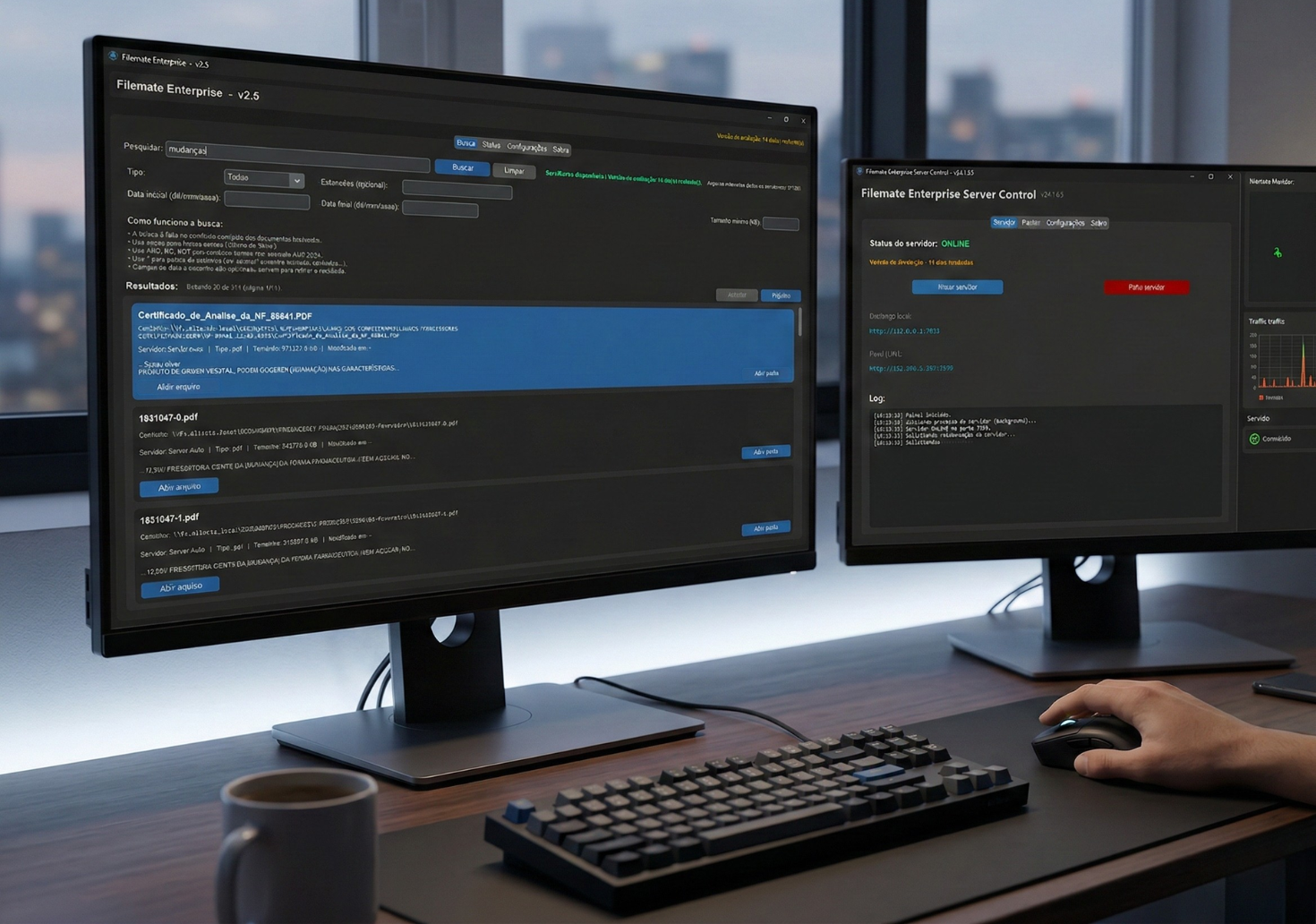
The objective of the test is simple: to realize that the time disappearing at closing does not need to exist.
Decision checklist
If these signals are part of your routine, Koxiv solves the bottleneck.
📌 Fechamento estressa
The problem isn't work, it's finding documents quickly.
📌 Customer sends urgently
And you need to respond with a document or proof right away.
📌 Lots of customers
Large volume makes the carpeta an inevitable bottleneck.
📌 Retrabalho constante
You ask for the same file again because you can't find it.
📌 Team without standard
Everyone finds it in their own way or not at all.
📌 Want predictability
You want an office that delivers without relying on luck.
Choose a plan and standardize your office
The best way is: activate the test, validate with 1 real customer and sign with conviction.
Full FAQ
Does it work with PDFs of guides and documents?
Yes. You select the carpetas where guides, notes, extracts and documents are located. Koxiv indexes it and you find it quickly.
Can I search by company tax ID and period (month/year)?
Yes. Empresa numbers (VAT, GST, EIN, Empresas House ID, or your local business registration) and accounting periods only need to appear in the filename, carpeta layout, or body of the PDF—Koxiv still indexes them.
Do I need to rearrange everything to get started?
No. Start with your current structure. The immediate gain is to reduce wasted time and rework.
Does this replace my accounting system?
No. Koxiv is the search and indexing layer for the document collection. It complements your system.
How soon will I see value?
In just a few days of real use. If month-end close feels lighter and the equipo stops hunting for files, you notice it quickly.
Does the prueba gratis have a catch?
No. It exists for you to validate with your own documents. If it doesn't make sense, you don't sign it.
Can I use it on my own?
Yes. Registration, installation, carpeta selection and search. The page already guides you from beginning to end.
If closing today depends on finding a document, you already have the bottleneck mapped out. Koxiv solves exactly that.