
Koxiv for Carriers & Logistics
Find bills of lading, proof of delivery (POD), manifests, rate confirmations, contracts, and freight paperwork in seconds— even when you only remember a consignment number, the customer, a vehicle ID, or a line item from the document.
LATAM workflows: In Brazil, PDF/XML exports for freight and tax often include CT-e and NF-e access keys in the body text. Koxiv indexes those strings the same way it indexes any other reference, so mixed international + Brazilian libraries stay searchable in one place.
No hace falta registrarse para descargar · Prueba gratis 15 días · Sin tarjeta
Why does this become a priority in the operation
In transport, the cost is not just “disorganization.” It shows up as downtime, internal tickets, and a blocked invoice because no one can find the freight bill, the customer invoice, or the POD. Koxiv reduces that bottleneck and makes access to information predictable.
If you deal with volume, finding things quickly becomes an operational standard, not details.

What usually slows carriers down
- ✓Customer asks for a receipt and you waste time opening carpeta after carpeta
- ✓BOLs and tax invoices saved under a different filename every trip
- ✓Documentos scattered across emails, downloads, scanner and various carpetas
- ✓Auditoría and billing get stuck because no one finds the right attachment
- ✓The equipo does not meet in the same way; each person creates their own method
What changes with Koxiv
- ✓Search the content for invoice references, waybill / BOL numbers, license plate, customer, and city
- ✓Fewer interruptions: fast response for customer, finance and audit
- ✓Standardization: anyone finds files with the same pattern
- ✓More predictable operation: history by customer, route and load
- ✓Productivity without relying on carpeta memory
Before vs. after
The value appears when you apply the system in real situations: billing, auditing, document resending and customer support.
Hunt BOLs, invoices, and PODs across multiple carpetas
You open carpetas by date and client, try different names and still wonder if you found the right document. If someone saved it wrong, it becomes a rework.
Typical result: delays, blocked charges and calls.
Search by number, key, license plate or customer
You enter the term—waybill ID, invoice number, license plate, consignee, or route—and find it in seconds, even without remembering the file name or where it was saved.
Outcome: quick response, predictable flow, and less rework.
Test with a real load today
Use the prueba gratis with your own documents: BOLs, PODs, manifests, and contracts. If it becomes standard, you subscribe with more confidence.
What Koxiv does and doesn't do
This section reduces doubts and helps you hire knowing exactly what you are purchasing.
✅ What Koxiv does
- ✓Indexación the carpetas you choose, such as operational, financial and customers
- ✓Ultra-fast search of document content
- ✓Find files by terms, snippets, patterns and references
- ✓Transform your collection into a consultation system
- ✓Standardize access to information for you and your equipo
❌ Koxiv is not
- ✓Does not replace your TMS or ERP
- ✓Not a delivery tracker
- ✓It doesn't depend on organizing everything perfectly to function
- ✓Doesn't require you to change the way you save files to get started
It enters as the layer of search and indexing that is missing when the volume grows and time begins to disappear.
How to get started in just a few minutes
To avoid depending on support, here is the direct path. You install it, select carpetas and test the search in a real operation.
✅ Optimal test
Choose a customer and one week of files (BOL, invoice PDF, POD). Run five searches you would normally do under pressure.
If in 2 or 3 days this becomes a habit, the subscription tends to pay for itself.
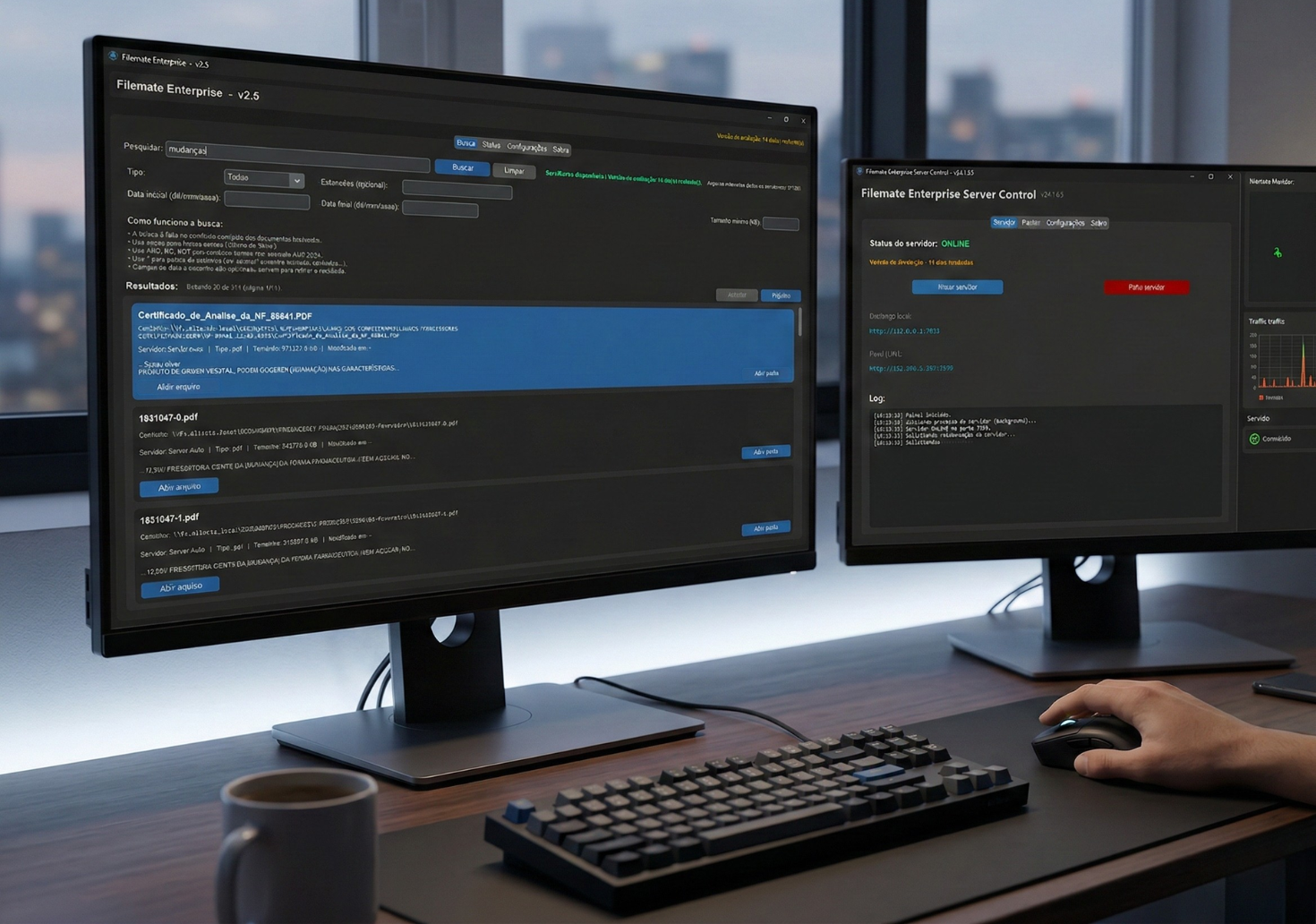
The objective of the test is simple: to validate in your environment whether the quick search really reduces rework and restores fluidity to the flow.
Decision checklist
This avoids indecision: if your routine has these signs, Koxiv usually solves a real problem.
📌 Volume and audits
You move a high volume of freight documents and need answers in seconds.
📌 Charge blocked
Payment has already been stopped due to lack of proof or attachment.
📌 Team needs the same workflow
You want predictability: everyone encounters the same pattern.
📌 Scattered documents
Email, chat, downloads, and the scanner turned into chaos.
📌 Invisible time disappearing
Minutes lost several times a day turn into hours a week.
📌 Want to grow without chaos
You want to increase volume without increasing rework.
Choose a plan with confidence
If the goal is to reduce rework and gain predictability, you don't need to guess: activate the test, validate with your flow and select the right plan.
Frequently asked questions
Does Koxiv work if my documents are messy?
Yes. You start with what you already have. The value of Koxiv is to reduce dependence on the perfect organization to find information.
Can I find it from the text inside the document?
Yes. That is the point: you search for snippets inside the file—invoice references, waybill numbers, plates, shippers—not just the filename.
Do I need to change my TMS, ERP, or my workflow?
No. Koxiv acts as a search and indexing layer for your carpetas and documents. It complements your routine.
How soon will I see value?
Usually within a few days of real use. Run quick searches on PODs, BOLs, and invoice PDFs—you will feel the difference immediately.
Does the prueba gratis have a catch?
No. It exists for you to validate in your scenario. If it doesn't make sense, you just don't sign it.
Which plan should I choose?
Choose by your volume and use. If you are in doubt, start with the test and, when you feel that it has become the standard, select the plan that covers your needs.
Can I use it alone without support?
Yes. This page already gives you the complete step-by-step guide: registration, installation, carpeta selection and testing with real searches.
If you identify with these pains, the cost of not resolving them is usually greater than it seems: It's blocked billing, rework and time going away every day.
Explore more about Koxiv
Cómo funciona Koxiv
Understand the logic of indexing, searching for content and use in a Windows environment.
Planes and scalability
Comparar options by number of máquinas and choose the most suitable plan for your operation.
Other sectors served
See how Koxiv can also be applied to clinics, offices and other document operations.